Exception Handling
Things go wrong at runtime — a file isn’t found, a user types letters where numbers are expected, or a network connection drops. Java’s exception handling system gives you a structured, readable way to detect these problems, respond gracefully, and keep your program from crashing unexpectedly.
Rather than scattering if (error) checks everywhere, Java uses a dedicated mechanism built into the language and the JVM itself.
What Is an Exception?
An exception is an event that disrupts normal program flow. When something unexpected happens — say, dividing by zero — Java creates an exception object that describes the problem and throws it. If nothing catches it, the JVM prints a stack trace and terminates the thread.
public class Demo {
    public static void main(String[] args) {
        int result = 10 / 0; // throws ArithmeticException
        System.out.println(result);
    }
}
Output:
Exception in thread "main" java.lang.ArithmeticException: / by zero
    at Demo.main(Demo.java:3)
Note: An uncaught exception doesn’t crash the entire JVM — it terminates only the thread where it occurred. In a multi-threaded application, other threads continue running.
The Exception Hierarchy
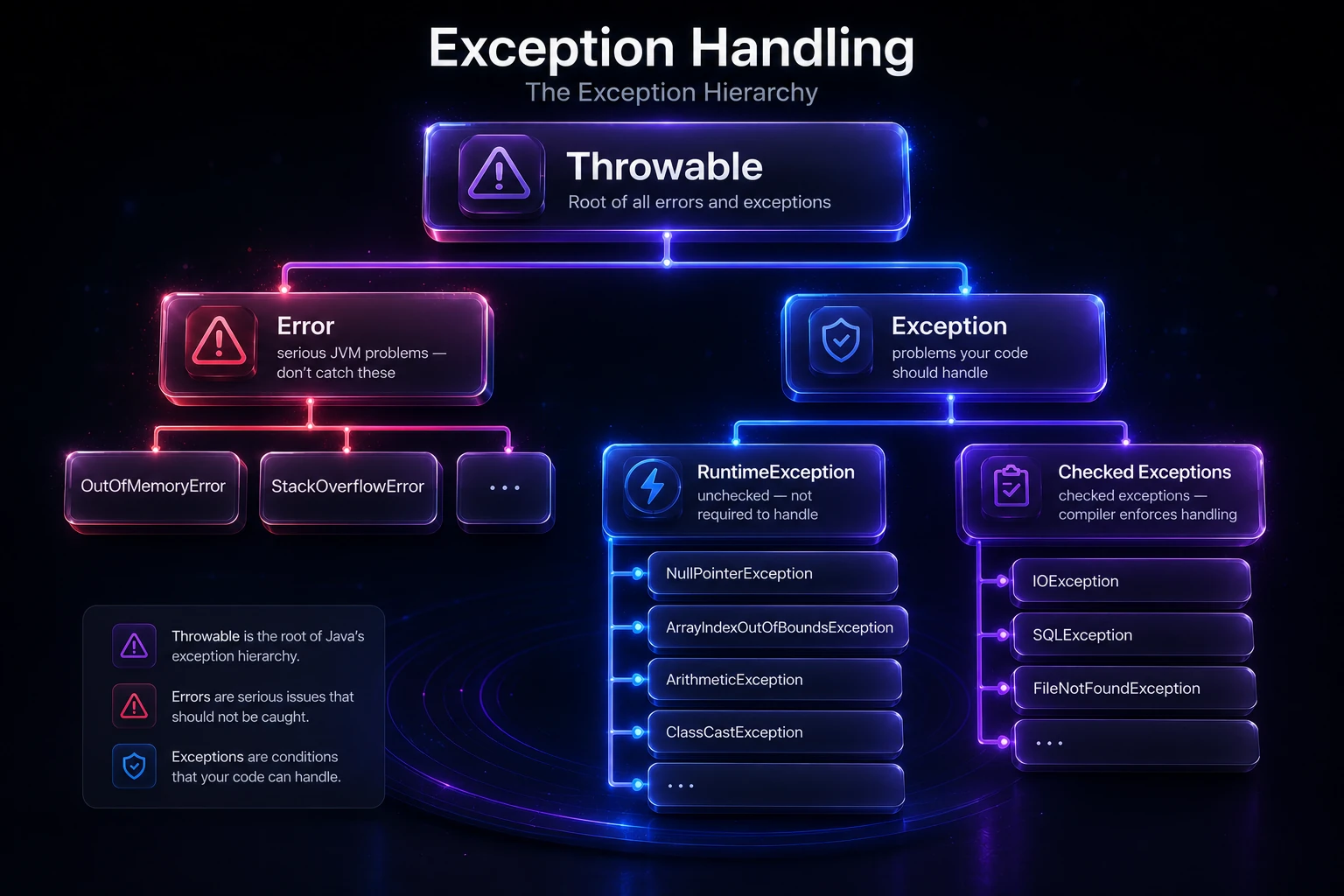
All throwable things in Java share a common ancestor: java.lang.Throwable. The hierarchy matters because it controls what you can catch and how.
Throwable
├── Error              (serious JVM problems — don't catch these)
│   ├── OutOfMemoryError
│   ├── StackOverflowError
│   └── ...
└── Exception          (problems your code should handle)
    ├── RuntimeException  (unchecked — not required to handle)
    │   ├── NullPointerException
    │   ├── ArrayIndexOutOfBoundsException
    │   ├── ArithmeticException
    │   ├── ClassCastException
    │   └── ...
    └── (checked exceptions — compiler enforces handling)
        ├── IOException
        ├── SQLException
        ├── FileNotFoundException
        └── ...
Checked vs Unchecked Exceptions
This is one of the most important distinctions in Java:
| Type | Extends | Compiler checks? | Examples |
|---|---|---|---|
| Checked | Exception (not RuntimeException) | Yes — must handle or declare | IOException, SQLException |
| Unchecked | RuntimeException | No | NullPointerException, ArithmeticException |
| Error | Error | No | OutOfMemoryError, StackOverflowError |
Checked exceptions represent conditions outside your code’s control (like a missing file) that a reasonable application should anticipate. The compiler forces you to either catch them or declare them with throws.
Unchecked exceptions (RuntimeExceptions) usually represent programming bugs — null dereferences, bad array indexes. You can catch them, but the expectation is that you fix the root cause instead.
Warning: Never catch
Errorsubclasses likeOutOfMemoryErrorin production code. These indicate JVM-level failures that you generally cannot recover from meaningfully.
Basic Syntax: try-catch
The core pattern wraps risky code in a try block and handles problems in one or more catch blocks.
public class FileSafeRead {
    public static void main(String[] args) {
        try {
            java.io.FileReader fr = new java.io.FileReader("data.txt");
            System.out.println("File opened successfully.");
        } catch (java.io.FileNotFoundException e) {
            System.out.println("File not found: " + e.getMessage());
        }
    }
}
Output (when file is missing):
File not found: data.txt (No such file or directory)You can catch multiple exception types, add a finally block that always runs (great for cleanup), and even nest try blocks. All of these patterns are covered in the sub-pages below.
Throwing Exceptions
You’re not limited to catching exceptions that others throw — you can throw your own with the throw keyword:
public class AgeValidator {
    public static void validate(int age) {
        if (age < 0) {
            throw new IllegalArgumentException("Age cannot be negative: " + age);
        }
        System.out.println("Valid age: " + age);
    }

    public static void main(String[] args) {
        validate(25);
        validate(-5); // this throws
    }
}
Output:
Valid age: 25
Exception in thread "main" java.lang.IllegalArgumentException: Age cannot be negative: -5
When a method can throw a checked exception, you must declare it using throws in the method signature so callers know to handle it.
public void readFile(String path) throws java.io.IOException {
    java.io.FileReader fr = new java.io.FileReader(path);
    // ...
}
Custom Exceptions
For domain-specific errors — like an InsufficientFundsException in a banking app — you can create your own exception classes by extending Exception (checked) or RuntimeException (unchecked).
// Custom checked exception
public class InsufficientFundsException extends Exception {
    private double amount;

    public InsufficientFundsException(double amount) {
        super("Insufficient funds. Short by: " + amount);
        this.amount = amount;
    }

    public double getAmount() {
        return amount;
    }
}
Custom exceptions make your API expressive and let callers handle specific failure scenarios precisely. See Custom Exceptions for the full guide.
Exception Propagation
If a method doesn’t catch an exception, it propagates up the call stack to the caller. This chain continues until something catches it or the thread terminates.
public class PropagationDemo {
    static void level3() {
        throw new RuntimeException("Something broke in level3");
    }

    static void level2() {
        level3(); // exception propagates up
    }

    static void level1() {
        level2(); // still propagating
    }

    public static void main(String[] args) {
        try {
            level1();
        } catch (RuntimeException e) {
            System.out.println("Caught in main: " + e.getMessage());
        }
    }
}
Output:
Caught in main: Something broke in level3The stack trace you see when an exception is uncaught shows exactly this call chain in reverse. See Exception Propagation for more scenarios.
Under the Hood
Understanding what the JVM does when an exception is thrown helps you write faster, cleaner exception handling.
Exception objects are heap objects. When you throw new SomeException(...), Java allocates an object on the heap just like any new expression. This includes capturing the stack trace — which is the expensive part. fillInStackTrace() (called automatically in Throwable’s constructor) walks the call stack and stores each frame. This is why throwing exceptions in tight performance loops is a bad idea.
Exception tables, not branch instructions. The compiler does NOT insert if (exception) checks after every statement. Instead, it generates a compact exception table stored alongside the method’s bytecode. Each entry describes a protected range (start pc → end pc), the exception type to match, and the handler address to jump to. The JVM scans this table only when an exception actually occurs — so the happy path has zero overhead.
Stack unwinding. When an exception propagates, the JVM unwinds the call stack frame by frame, running finally blocks along the way. Each frame is popped from the JVM stack until a matching catch is found.
Performance tip: If you need a “no overhead” exception-like signal in high-throughput code, override fillInStackTrace() to return this — this eliminates stack capture cost while still giving you a throwable object.
// High-performance sentinel exception (no stack trace)
public class FastSignal extends RuntimeException {
    public FastSignal(String msg) { super(msg); }

    @Override
    public synchronized Throwable fillInStackTrace() {
        return this; // skip expensive stack capture
    }
}
Tip: Stack trace capture is typically the most expensive part of exception handling — not the
throw/catchmechanism itself. For logging, usee.getMessage()ore.getClass().getName()when you don’t need the full trace.
Best Practices at a Glance
- Catch the most specific exception first — catch
FileNotFoundExceptionbeforeIOException. - Never swallow exceptions silently — an empty
catchblock hides bugs. At minimum, log the error. - Use finally (or try-with-resources) for cleanup — always close streams and connections.
- Don’t use exceptions for normal control flow — they’re for exceptional conditions, not
if-elsereplacements. - Prefer unchecked exceptions for programming errors — checked exceptions are for recoverable conditions only.
- Include context in exception messages —
"File not found: " + pathis far more useful than just"Error".
Tip: Java 7+ introduced try-with-resources, which automatically closes any
AutoCloseableresource at the end of the block — nofinallyneeded. It’s the modern standard for I/O and database work.
// Try-with-resources — reader is closed automatically
try (java.io.BufferedReader br = new java.io.BufferedReader(new java.io.FileReader("data.txt"))) {
    System.out.println(br.readLine());
} catch (java.io.IOException e) {
    System.out.println("Error reading file: " + e.getMessage());
}
In This Section
- try-catch Block — The fundamental building block: wrap risky code in
tryand respond to failures incatch. - Multiple catch Blocks — Handle different exception types differently with multiple
catchclauses, including multi-catch (|) syntax. - Nested try — Place a
try-catchinside anothertryblock when inner operations need independent error handling. - finally Block — Code in
finallyalways executes — whether an exception occurred or not — ideal for cleanup logic. - throw Keyword — Explicitly throw an exception from any point in your code using the
throwstatement. - throws Keyword — Declare that a method may throw checked exceptions so the compiler can enforce handling by callers.
- throw vs throws — Clear comparison of the two keywords: when to use each and how they interact.
- Exception Propagation — Understand how uncaught exceptions travel up the call stack and how the JVM unwinds frames.
- final vs finally vs finalize — Three similar-sounding keywords with completely different purposes — demystified side-by-side.
- Exceptions & Method Overriding — The rules that govern which exceptions an overriding method is allowed to declare.
- Custom Exceptions — Build your own exception classes to represent domain-specific error conditions expressively.
Related Topics
- try-catch Block — Start here to write your first exception-safe code with the core
try-catchpattern. - Custom Exceptions — Extend
ExceptionorRuntimeExceptionto model application-specific failures. - finally Block — Ensure cleanup code always runs, regardless of whether an exception was thrown or caught.
- throws Keyword — Learn how to declare checked exceptions in method signatures and propagate responsibility to callers.
- Multithreading — Understand how unhandled exceptions interact with threads and
UncaughtExceptionHandler. - Java Best Practices — Broader guidelines including effective exception handling patterns for production code.